Post Effects
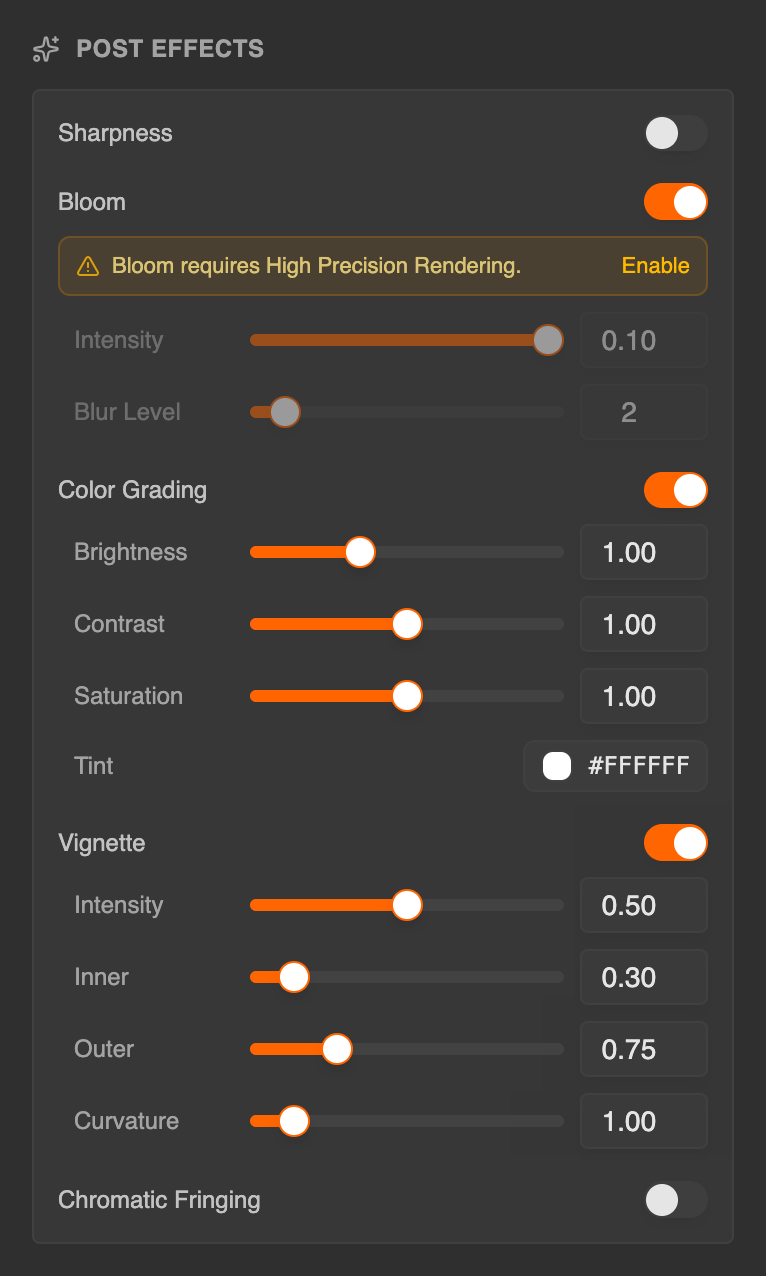
The Post Effects section, at the bottom of the Scene tab in Studio, controls the look of your scene after the splat is rendered. Effects are evaluated per frame in the viewer. Each effect has a switch that turns it on and shows its parameters.
Tonemapping and High Precision Rendering, which shape the whole image, are in the Look & Tone section.
Sharpness
| Field | Description |
|---|---|
| Amount | Strength of the sharpening filter. |
Good for recovering perceived detail on dense splat captures.
Bloom
| Field | Description |
|---|---|
| Intensity | How strong the bloom glow appears. |
| Blur Level | Size of the bloom kernel. Larger values produce a softer, broader glow. |
Adds a glow to bright regions of the scene. Bloom needs High Precision Rendering: while it's off, the section says Bloom requires High Precision Rendering, and Enable turns it on.
Color Grading
Color grading applies a global transform to the image.
| Field | Description |
|---|---|
| Brightness | Overall brightness lift. |
| Contrast | Tone separation between dark and light. |
| Saturation | Color intensity (0 is grayscale). |
| Tint | An RGB color blended into the image, useful for warm or cool grades. |
Vignette
| Field | Description |
|---|---|
| Intensity | Strength of the corner darkening. |
| Inner | Radius at which the vignette starts. |
| Outer | Radius at which the vignette reaches full strength. |
| Curvature | Shape of the vignette falloff. |
Chromatic Fringing
| Field | Description |
|---|---|
| Intensity | Strength of the chromatic aberration effect at frame edges. |
In the viewer
- VR and AR — post effects and High Precision Rendering aren't applied during a VR or AR session. The scene's tonemapping still is, and everything returns when the session ends.
- Self-hosting — when you host the viewer yourself, the
nofxURL parameter turns post effects off.
See also
- Look & Tone — background, skybox, tonemapping and High Precision Rendering
- Experience Settings — the JSON contract that stores post-effect settings